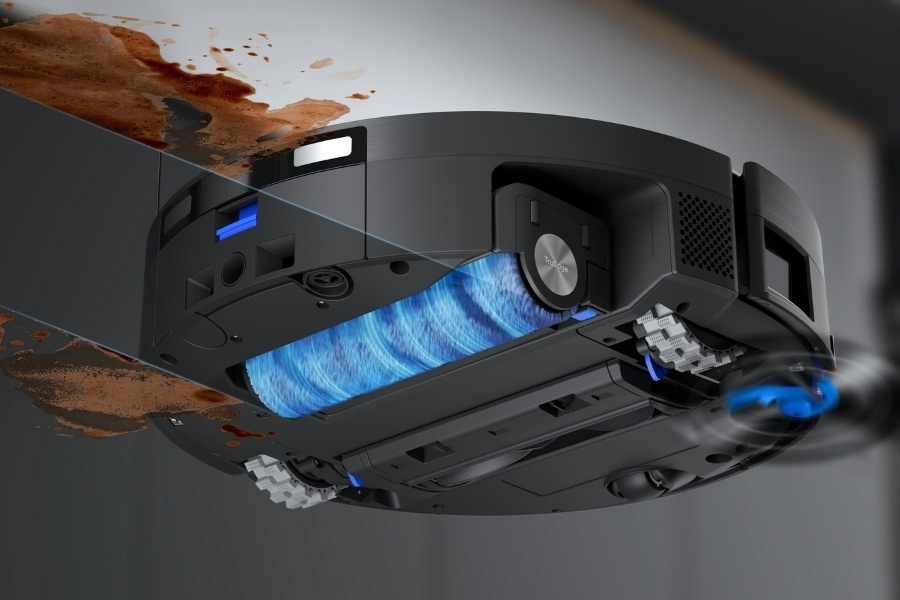
Every time you clean, the mop head presses against the floor to lift debris, absorbs dirty water, and scrubs stuck-on messes. It quickly collects grease and bacteria that, when trapped, cause the mop to spread grime and create bad odours.
To prevent this from happening, find out how mop heads work, how to clean them properly step by step, how often to clean and replace them, and common mistakes that impact hygiene and results.
Why It’s Important to Clean a Mop Head?
Cleaning the mop head is important to prevent bacteria, dirt, allergens, and mould from spreading across your floors. A clean mop supports better hygiene, improves cleaning results, and helps extend the lifespan of your robot vacuum.
While many self-emptying robot vacuums now automatically rinse the mop at the docking station after each session, regular deep cleaning is still necessary to remove buildup. Here’s what can happen if mop heads are not cleaned properly:
- Reduced cleaning effectiveness: Dirty mop fibres lose absorbency and cause debris to smear across floors instead of being lifted effectively.
- Bacteria growth: Damp, dirty mop heads create a warm environment for bacteria and mildew to grow, increasing risks of contamination.
- Bad odours after mopping: Trapped moisture and organic debris break down inside mop fibres, producing sour or musty smells after mopping.
- Streaks and residue: Residue left on dirty mop heads spreads cleaning solution in a robot mop unevenly, leaving visible streaks or sticky patches on floors.
- Faster mop wear: Built-up grit increases friction on mop fibres, leading to accelerated wear and a higher demand for replacements.
How to Clean a Mop Head Step-by-Step?
When you clean a mop head in a robot vacuum and mop, start by unplugging the machine and taking out the part safely, clearing loose debris with proper tools, then rinsing and deep cleaning using warm water. Sanitise the accessories and compartment when needed, and always air dry completely in a well-ventilated area.
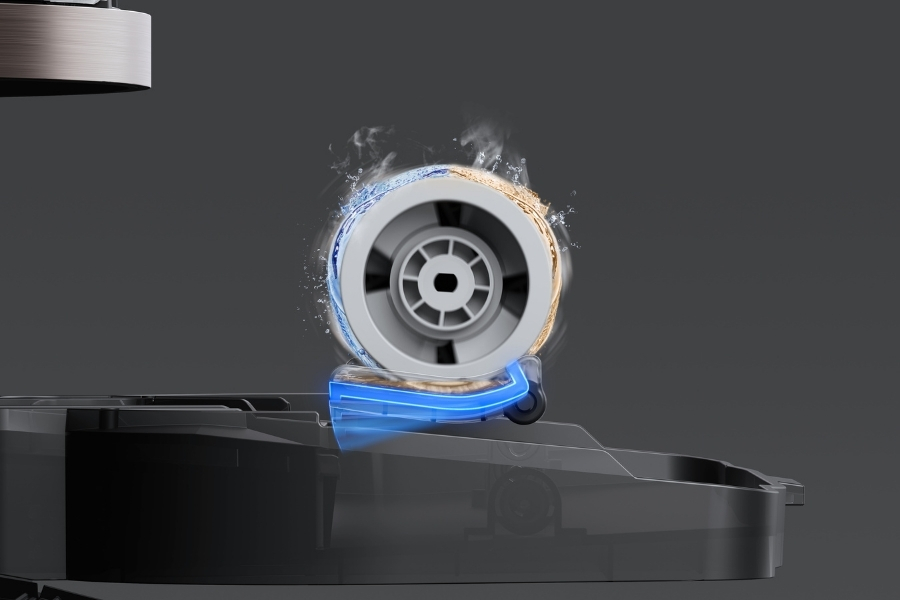
It is suggested to include these steps in your robot vacuum cleaning routine. The examples below are based on the DEEBOT X11 OmniCyclone.
Step 1: Preparation
Power off your smart vacuum and place it on a flat surface. Prepare basic tools such as gloves, a soft cloth, and an untangle tool. Keep pets and kids away when cleaning your vacuum cleaner to create space and avoid missing parts during the cleaning process.
Step 2: Remove the Roller Mop
Next, take out the roller mop from the device. For example, DEEBOT X11 OmniCyclone users can double-tap the power button to release the roller mop component, then press the lateral unlock button to detach the roller. Do not pull the roller while it is retracted, as this may damage the internal mechanism.
Step 3: Rinse After Each Use
Rinse the roller mop after each cleaning session to flush away loose dirt and debris. Advanced models like DEEBOT X11 OmniCyclone feature Hot Water Soak Washing at 75°C, fully immersing the rotating roller to get rid of stubborn grime more effectively.
Step 4: Deep Clean Weekly
To amplify the sanitising effect, deep clean the roller mop by first cutting off tangled hair or threads around the roller and bearing areas. Then, soak it in warm water and gently scrub stubborn residue, like hard water deposits and grease.
Step 5: Clean Inside the Roller Compartment
While the roller is drying, inspect the roller compartment for trapped dirt or debris. Wipe the interior with a soft, damp cloth, just like when you clean the vacuum sensor, to keep sensors and moving parts clean. Do not wash the machine directly with water.
Step 6: Dry Completely
Once cleaning is finished, allow the roller mop to air dry fully in a well-ventilated area. It’s important not to put damp mop heads back right away, as trapped moisture encourages mildew growth.
Step 7: Reassemble Properly
Finally, insert the roller mop back into the roller end cover and double-tap the power switch button to retract it into position. Make sure the roller spins freely and sits securely before restarting the robot, similar to how you clean your vacuum brush. This saves you from repairing the smart vacuum later.
What to Avoid When Cleaning a Mop Head?
Paying attention to these common mistakes when cleaning your mop head can help avoid damaging the fibres and spreading bacteria across your floors instead of actually removing dirt.
- Do not store mop heads wet: Trapped moisture promotes mould, mildew, and bacterial growth, causing bad odours after mopping.
- Avoid harsh chemicals: Bleach, fabric softener, or mixed disinfectants can leave residue and reduce dirt absorption.
- Do not use boiling water: Extreme heat can warp materials, weaken adhesives, and permanently damage the mop structure.
- Do not machine dry microfibre: High heat damages microfibre fibres and significantly shortens mop head lifespan.
How Often to Replace a Mop Head?
Most Australian households should replace a mop head every 1–2 months, and even more frequently in homes with pets or large families. This also applies to those who have the habit of wearing outdoor shoes indoors.
Keep an eye on these signs that indicate your mop head needs cleaning:
- Strong odours: Lingering smells indicate trapped bacteria, mildew growth, or deep contamination inside mop fibres.
- Visible dirt buildup: Coffee or tea stains, pet dander, or discolouration show trapped debris in the fibres.
- Sticky floor residue: If your floors feel sticky or dull after mopping, the mop may struggle to lift spills and grime.
- Uneven water spreading: When the mop head distributes water poorly and creates dry patches or puddles, it suggests it’s time to replace it.
Related Products